

This product qualifies for Free Surface Shipping !
B2B GST Credit Available
- Stock: 0 in Stock
- SKU: 09114
- Delivery Time
- Bulk & B2B RFQ
Adafruit LT8912B DSI to DVI Converter
You've likely used I2C or SPI to connect to small displays on your microcontroller: these two protocols are great for small OLEDs and TFTs, maxing out at about 320x480 pixels. If you want to go bigger maybe you've stretched into TTL displays like on our ESP32-S3 Qualia which can go to 720x720, but TTL displays use a LOT of pins, like 30+ and they max out due to the limits of sloshing data over a parallel interface. So, the MIPI alliance came up with a high speed serial interface for displays...big surprise they call it DSI (display serial interface). We're starting to see more and more chips that come with DSI - this interface has been available on the Raspberry Pi computer series for a long time but now the ESP32-P4 has it too. And more chips are coming out with DSI support as it becomes widely adopted.
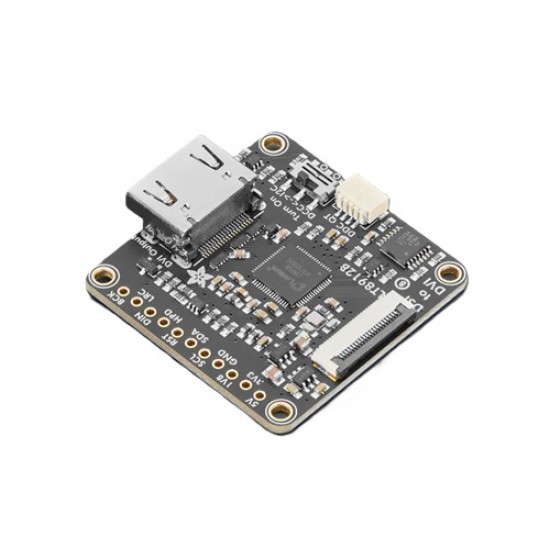
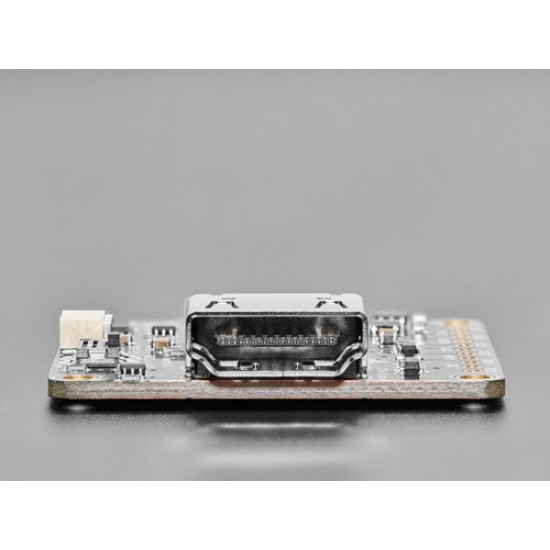
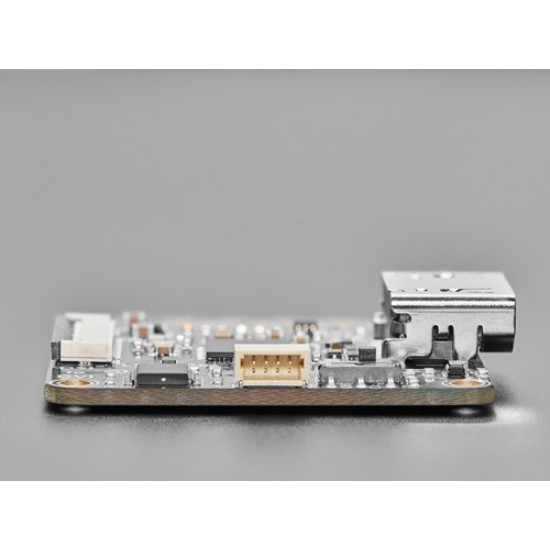
If you have a chip or computer with DSI you can connect many panel displays to it, and now thanks to the Adafruit LT8912B DSI to DVI Converter you can connect a DSI output to a DVI or HDMI monitor! This converter chip will take that DSI signal and squish it around to the right format and connector that many TVs and monitors use, you can even use an HDMI capture dongle if you want to pipe the signal into a computer. It works with up to 4 lanes for 1080p60 max resolution.
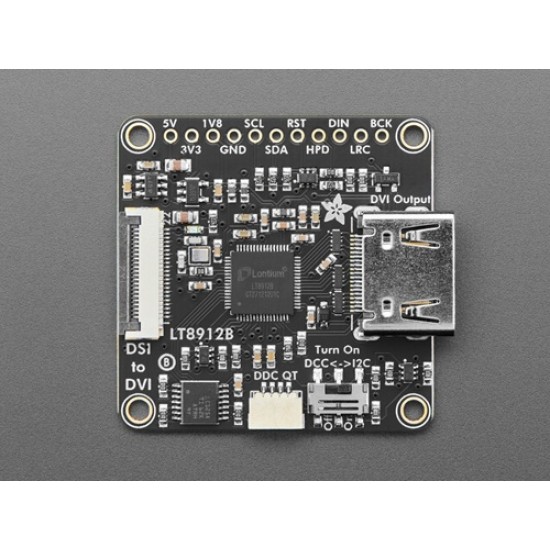
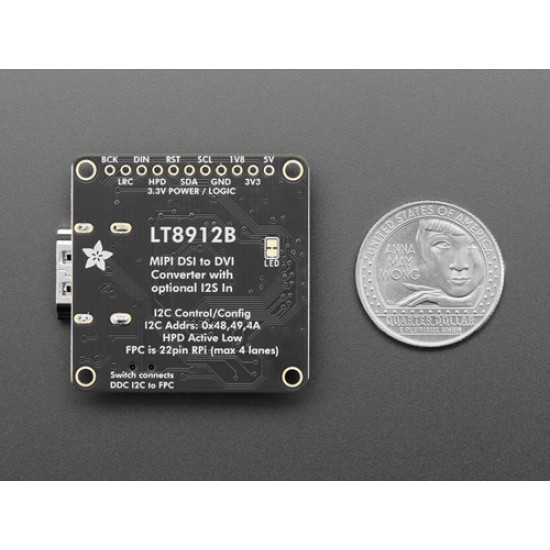
One side has a 22-pin 0.5mm pitch FPC connector, this is the "Raspberry Pi 5" standard pinout (also used on compute-module boards) and we also use in on our ESP32-P4 boards. To connect to something with a similar 22-pin FPC connector, use this flex cable. If you have an older Raspberry Pi or some other DSI emitter with the 15-pin 1mm pitch connector, use an adapter converter cable like this one. Note we don't include a cable with this adapter because we dont know which one you need, so pick that up separately!
Once the FPC is connected, you do have to configure the LT8912B over I2C. Thankfully there's an I2C lane on the FPC cable so you can use our Arduino or CircuitPython drivers to set up the LT8912B for the resolution that matches the DSI output (and, ideally one that the DVI monitor supports!) On Raspberry Pi, there's a kernel module you can use - a device tree overlay will configure the chip resolution. Espressif has their own ESPIDF driver as well. Note that this chip requires signing an NDA to get full datasheet and driver support so we've cobbled together our support using publicly available info, and it works just fine - but we won't be able to provide a full datasheet. (You're free to contact/sign with the chip maker if you like for in-depth support)
Astute folks may remember that DVI/HDMI monitors also have an I2C device built-in on 0x50 for EDID detection so you can determine supported resolutions and modes. We connect those I2C lines (called DDC) to the same I2C lines on the FPC so you can configure the LT8912B and also read the EDID at the same connection. This is great 99% of the time. But! If you happen to be connecting to an RTD266x-driven monitor, which is common for small maker-friendly displays, that controller also uses a conflicting I2C address to the LT8912B. So, basically, if you are connecting to an RTD266x-controlled-monitor, switch the DDC connection switch to 'off' and then you can read the DDC over the Stemma QT port or breakout pads at the top, make sure its on a second I2C port.
Finally, the most observant of all may see the I2S pins broken out and ask: hey can I also pipe I2S in to have that audio played on the monitor in question? The answer is: maybe? We broke out those pins and tried hard to get I2S audio working, but given we don't have the proper NDA'd datasheet there's no working example. We're pretty sure it can be done but I2S input is unsupported. If you figure it out let us know!
We've tested this a bunch on the ESP32-P4 and Raspberry Pi 5 - it ought to work on other DSI sources but we've not tried it out ourselves. Despite using the same connector as the HSTX this is not going to work with the RP2350. Check that your source uses the same pinout as the Raspberry Pi 5 to make sure it will work!
Specifications
- ne-Channel MIPI DSI Receiver
- Compliant with D-PHY1.1 and DSI1.02
- 1 clock lane and 1~4 configurable data lanes
- 80Mb/s~1.5Gb/s per data lane
- Data lane swappable and polarity swappable
- Internal Rterm calibration w/i less than 5% error
- 2-bit programmable equalization
- Only Non-Burst Mode supported
- One-Channel LVDS Transmitter
- 1 clock lane and 4 data lanes
- Maximum 1.0Gb/s per data lane
- Reduced output swing for low EMI
- HDMI Transmitter
- Supports HDMI1.4 standard
- Up to 60Hz 1080p 8-bit HDMI output
- 7-bit automatic or manual output swing calibration
- 3-bit programmable de-emphasis
- Temperature range: −40°C to +85°C
- Dimensions: 40.5mm x 38.0mm x 7.7mm / 1.6" x 1.5" x 0.3"
Package Includes
- 1x Adafruit LT8912B DSI to DVI Converter
Warranty Terms :
Branded products (Waveshare/ Raspberry Pi/ Radxa/ DWIN etc) are as per brand warranty terms. Generic products are eligible for replacement within 7 days of delivery based on following conditions.
Products are eligible for a replacement if there is physical damage during transit or a clear manufacturing defect. Any claim for damage/ wrong items/ short quantity/ replacement must be made within 48 hours of successful delivery of the product. Requests for refund of amount or exchange of product(s) will be reviewed on a case by case basis and HUBTRONICS carries final rights to take a final decision on refund, store credit or exchange.
Unboxing video is mandatory to report damaged or short quantity of the items in the order.
What to take care of ?
Most of our products are technical in nature and require trained personnel to handle them. Any kind of mishandling can result in damage or malfunctioning of the product, it is not possible for us to provide a replacement or refund if the product is damaged due to technical or physical mishandling.
Who pays the return shipping cost?
Free of cost return pickup from delivery address is eligible for products categorized as manufacturing defect/ Damage in transit/ Wrong items delivered. We do not support return pickup for any B2B order or offline orders not placed on website. Buyer need to arrange return shipping for B2B orders.
What voids warranty?
Please note that replacement/ return or refund is not possible if the product is not compatible with your system/application. Please check all the technical details/ dimensions etc. before ordering and contact us for any kind of clarifications.
If product is soldered/ programmed at any point or physically altered in any way, it is not eligible for return/ replacement. If the item requires soldering for testing, please ensure that you use suitable clips or jig to test it without soldering. Any kind of soldering job makes the product ineligible for return or replacement.
Following items are not eligible for return under any circumstances
- Device Programmers / Dongles
- Soldering Consumables (Wire, Flux etc)